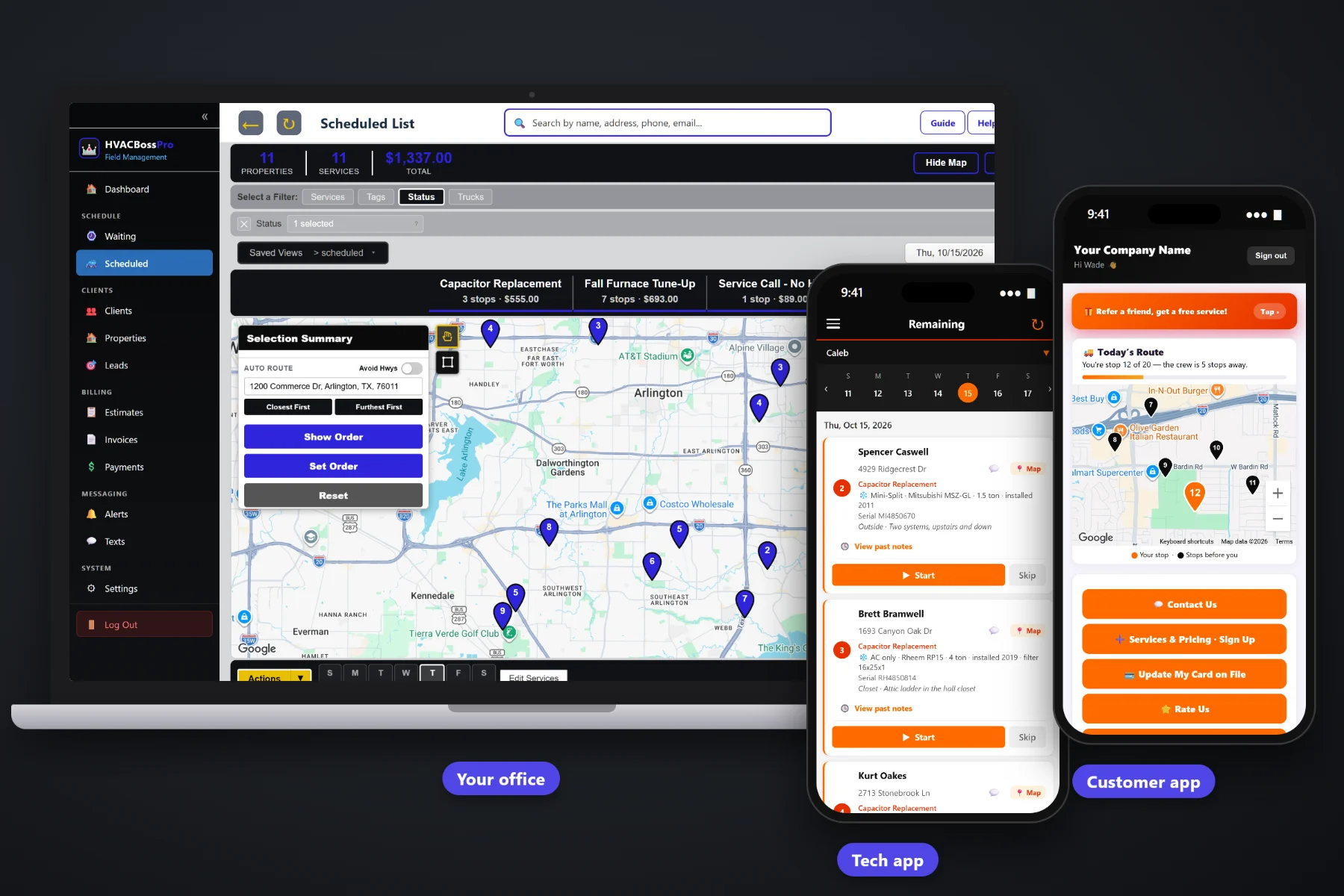
A property manager with forty rental homes, a landlord with a small apartment building, a strip-center owner with rooftop units on every suite. These accounts are steady work, but only if you can keep track of every address, every system and every bill. HVACBossPro puts many addresses under one account, keeps equipment records per unit and per building, brings quarterly PM visits due on their own, and sends one monthly statement that covers every property.
Plans start at $59/month, and multi-address accounts, monthly statements and equipment records come with every plan. You do not need the big enterprise HVAC platforms to service a rental portfolio or a row of rooftop units. For the residential side, routing and the rest of the platform, start at HVACBossPro, then come back here for the commercial and property manager side.
A property manager is one client. Each rental home, building or suite is its own address under that client, with its own pin on the map.
System type, brand, model, serial, tonnage, filter size and unit location saved on each address, so every tech walks in knowing the system.
Set the account to Monthly and the manager gets one statement covering every property, each line labeled with the address.
Quarterly or twice-a-year visits come due on their own on the Waiting List, based on the minimum days between visits.
Before and after photos saved with each job, so the manager can see the filter changed and the coil cleaned without driving out.
Send the estimate, the manager approves it online, and the approved estimate becomes the scheduled job.
Commercial and rental accounts go wrong when the details live in one dispatcher's head. Which unit is in the attic, which one is on the roof, who holds the key, which suites can only be worked before 10am. HVACBossPro keeps it on each address under the account, and the tech sees it on the phone at every visit.
You do not need a six-month rollout to take on a commercial account. Add the client, bring in the address list, fill in the equipment as your techs visit, and set the billing to Monthly. The same screens you use for homeowners run the commercial side.
Create the property manager, landlord or business as one client, tag it Commercial, and add the contacts who approve work.
Add each rental or building by hand or by CSV import. Imported addresses are placed on the map automatically.
System type, brand, model, serial, tonnage, filter size and location go on each address once and show on every visit after.
Set the account to Monthly. Every job across every address lands on one statement, each line labeled with the address.
One homeowner with one furnace fits on a sticky note. A property manager with thirty addresses, three different filter sizes and a rule that no tenant gets a visit without a text first does not. Most small HVAC shops handle it with a spreadsheet, a pile of invoices and a dispatcher who remembers everything.
Ask any shop that services rentals how it goes: thirty separate invoices a month that the manager has to match to thirty addresses, a tech who drives across town and finds out the lockbox code changed, and a call from the manager asking whether the filters at the Ridge Road duplex were ever changed. Nobody can find the photo. Nobody remembers which unit had the weak capacitor last spring.
That information belongs on the address, under the account, where any tech and anyone in the office can see it. Then the manager gets one clean statement, photos on every job and answers in a text instead of a phone tag.
HVACBossPro keeps the account, the addresses, the equipment and the billing in one place, from the first quote to the paid statement.
Every tool here is about keeping many addresses, many systems and one demanding customer organized, without hiring another person for the office.
Rental homes, duplex sides, apartment units, suites and buildings all sit under one account.
Central AC + furnace, heat pump, mini-split, boiler or package unit, with brand, model, serial, year, tonnage and filter size.
Attic, closet, garage, basement, crawlspace, roof or outside, so the tech knows where to go before parking.
Lockbox codes, roof hatch keys, tenant contact and gate codes saved on the address and shown on the job.
Set minimum days between visits, like 90 for quarterly or 180 for spring and fall, and visits come due on their own.
Every visit that came due on a live map, colored not due yet, due now and overdue past a 7-day grace.
Assign work to a van and a day, auto-route Closest First or Furthest First, and drag jobs between days.
Before and after photos taken on the tech's phone stay with the job.
Build estimates from your service list. The manager approves online and it becomes the scheduled job.
Text property managers and facility contacts from the office, with replies landing in the same thread.
One statement per account per month, every line labeled with the address it belongs to.
Charge on completion or on a schedule, with past-due follow-up for the accounts that drag.
Tag accounts Commercial, Maintenance Plan or VIP, and add your own fields like PO number or unit count.
See work and billing per account to decide which customers to grow and which to reprice.
Bring in a manager's address list. Imported addresses are placed on the map automatically.
Start $59, Pro $89 and Crew $199 per month, with commercial accounts on every plan.
Commercial accounts bring a mix of work: quarterly PM visits that come due on their own, make-ready calls when a tenant moves out, and the occasional no-cooling call that has to go today. The Waiting List shows every PM visit that came due. The dispatch board puts them on a van and a day, routes them from the shop, and the tech's phone shows the same order with the equipment and access notes on every card. For the whole picture, read Commercial HVAC Software: The Complete Guide to Property Manager, Landlord and Light Commercial Accounts.
A property manager does not want to call you. They want to know the work was done, see a photo if a tenant complains, approve the next repair from their phone and pay one bill at the end of the month. Two-way texting keeps the conversation in one thread. Estimates go out for online approval. Photos stay with the job. The monthly statement lists every address, and the customer app shows invoices and takes payment.
Pick the plan that fits your shop. Every plan starts with a 14-day free trial and no credit card.
Compare plans on the pricing page.
Yes. The property manager, landlord or business is one client, and each rental home, unit, suite or building is its own address under that client. Each address has its own equipment details, access notes and map pin, and all of the work rolls up to the one account.
Set the account to Monthly. Instead of a separate invoice after every job, the manager gets one statement each month covering every property, with each line labeled with the address the work was done at.
Yes. Each address holds the system type (including package units, heat pumps, mini-splits and boilers), brand, model number, serial number, year installed, tonnage, filter size, unit location and access notes. The tech sees it on the phone at every visit.
Yes. Set the minimum days between visits, such as 90 for quarterly or 180 for spring and fall. Each visit comes due on its own and shows on the Waiting List map, where the office puts it on a van and a day.
Not really. HVACBossPro is built for residential and light commercial work: rental homes, apartment buildings, offices, retail, restaurants, churches and small warehouses. Large campus or industrial chiller work is outside its typical use, and shops doing mostly that kind of work usually need different tools.
Start is $59/month, Pro is $89/month, and Crew is $199/month. Commercial and property manager accounts work on every plan, and every plan starts with a 14-day free trial with no credit card.
Commercial accounts are one piece of how HVACBossPro runs a heating and air company. For residential service calls, maintenance agreements, dispatch, the tech app and billing, see the full HVACBossPro platform overview.
Practical reading on winning property manager and landlord accounts, rental portfolios, apartment buildings, light commercial and rooftop units, equipment records, monthly statements, PM visits, turnovers, tenant access, photos, quotes, texting and keeping accounts renewing.
Many addresses under one client, equipment records per unit, PM visits that come due on their own, proof-of-service photos and one monthly statement per account. Try HVACBossPro free for 14 days.